
Duplicate & similar photo finder
Clean Kit finds exact duplicates and the near-identical shots the iPhone Photos app misses, like bursts and several takes of the same moment. Each group highlights the best photo by sharpness, resolution, exposure and face quality, so you only need to confirm.
Download on the App Store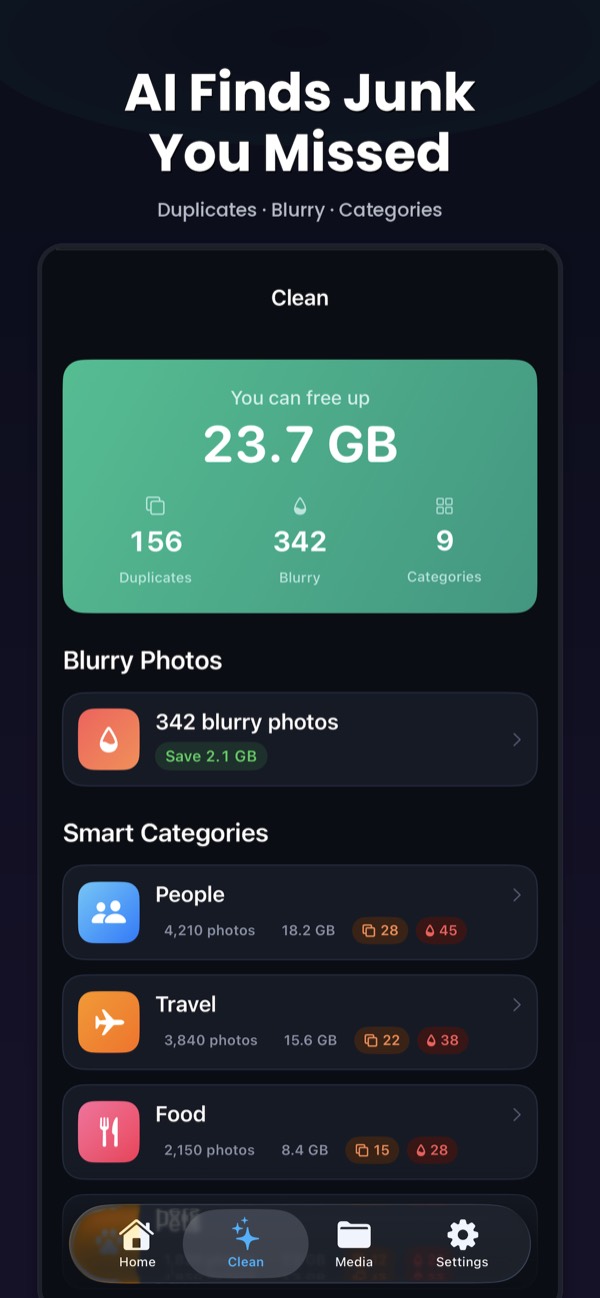
Exact duplicates and the ones iOS misses
Since iOS 16, the Photos app has a Duplicates album. It’s useful, but it only finds copies of the same image. Most wasted space comes from similar photos: the burst you fired at a moving pet, or the six versions of a group photo where someone blinked.
Clean Kit uses Apple’s on-device Vision framework to group both:
- Exact duplicates: the same image saved more than once, including copies at a different size or format
- Near-duplicates: bursts, retakes and shots taken seconds apart
- Blurry photos: out-of-focus shots that sit next to a good version of the same moment
Keep the best shot automatically
In every group, Clean Kit compares sharpness, resolution, exposure and face quality and marks the best photo to keep. Review the group side by side, change the pick if you prefer another, and delete the rest.
Groups are sorted by potential savings, so the biggest wins come first. The Largest Duplicates list shows exactly how much each group frees.
Private by design
Comparing photos needs full access to your library, so where the comparison happens matters. Clean Kit runs every check on your iPhone or iPad. Nothing is uploaded, there’s no account, and the App Store privacy label is Data Not Collected.
Step-by-step guides
How to delete duplicate photos on iPhone
Use the built-in Duplicates album, then catch the similar shots iOS misses.
How to delete blurry and similar photos on iPhone
Find out-of-focus shots and near-identical photos iOS doesn't catch.
How to delete duplicate photos on iPad
The Duplicates album on iPad, plus the similar shots it misses.
Frequently asked questions
How is this different from the iPhone Duplicates album?
The Duplicates album in Photos finds copies of the same image. Clean Kit also groups similar photos, such as bursts or five takes of a group shot, which usually take far more space.
How does Clean Kit choose the best photo?
It compares sharpness, resolution, exposure and face quality in each group and marks the best shot to keep. You can change the choice before deleting.
Does it find blurry photos too?
Yes. Clean Kit detects blurry photos with on-device AI and lists them separately, and Smart Clean can include them in a one-tap cleanup.
More Clean Kit features
Smart Clean
Clean Kit's Smart Clean bundles duplicates, blurry photos and old screenshots into one recommendation, shows the space you'll free, and cleans in one tap.
AI photo categories
Clean Kit sorts your iPhone photos into People, Travel, Food, Pets, Nature and more with on-device AI, so you can clean up your library one topic at a time.
Screenshot cleaner
Clean Kit groups your iPhone screenshots by age, so you can delete everything older than 30 days in one go and keep the recent ones you still need.
Video compressor
Compress large iPhone videos with HEVC at three quality levels and keep your memories in far less space. Clean Kit sorts videos by size and runs on-device.
Live Photo converter
Every Live Photo hides a short video. Clean Kit converts Live Photos to stills in bulk and keeps the original date, location and metadata.
WhatsApp media cleaner
WhatsApp can copy every photo and video you receive into your camera roll. Clean Kit finds that WhatsApp media in your library so you can bulk-delete it.
Storage dashboard & report card
See total, used and free iPhone storage at a glance, with a breakdown of photos, videos, screenshots and Live Photos, plus a report card after every cleanup.
Widgets & Siri Shortcuts
Add Clean Kit storage and battery widgets to your Home Screen or Lock Screen, and ask Siri to check storage, scan for duplicates or start a Smart Clean.