
Clean Kit vs Cleanup
Cleanup: Phone Storage Cleaner is the most-reviewed cleaner on the App Store, and it also cleans contacts and email and has a private vault. Clean Kit focuses on photos and videos, is a fraction of the download size, and its privacy label is Data Not Collected, while Cleanup's label lists data used to track you. Choose Cleanup for contacts and email cleanup; choose Clean Kit for private, photo-focused cleanup.
We make Clean Kit, so we're not neutral. Every fact about Cleanup below comes from its US App Store listing or official website, linked under Sources. How we compare apps.
At a glance
| Clean Kit | Cleanup | |
|---|---|---|
| Price | Free download; optional Pro (weekly, monthly or yearly) | Free download; "Cleanup Pro 1 Week" listed from $5.95 to $11.99; 7-day free trial advertised |
| App Store rating | New app, not enough ratings yet | 4.7 from 733K ratings |
| Privacy label | Data Not Collected | Data used to track you: purchases, identifiers, usage data |
| Duplicate & similar photos | Yes, best shot picked by sharpness, resolution, exposure and faces | Yes |
| Blurry photos | Yes | Not listed in the description |
| Video compression | 3 levels: Optimal (HEVC, up to 4K), 1080p, 720p | Yes |
| Live Photos to stills | Yes, in bulk, metadata kept | Not listed in the description |
| Contacts and email cleanup | No | Yes |
| Private vault | No | Yes (Secret Space) |
| Download size | 8.3 MB | 119.5 MB |
| Requires | iOS 18.6 or later | iOS 15.0 or later |
Prices, ratings and privacy labels as shown on the US App Store in October 2026. Privacy labels are reported by each developer and not verified by Apple. Check the listing before deciding, as they change.
Where Cleanup is stronger
Cleanup has been around longer and has hundreds of thousands of ratings. It covers more than your photo library: it can merge duplicate contacts, clean promotional email and hide files in a PIN-protected Secret Space. If you want one app for photos, contacts and email, that breadth is a real advantage.
Where Clean Kit is stronger
- Privacy you can check. Clean Kit’s App Store privacy label is Data Not Collected, with no tracking. Cleanup’s label lists purchases, identifiers and usage data as used to track you, and contact info and identifiers as linked to you.
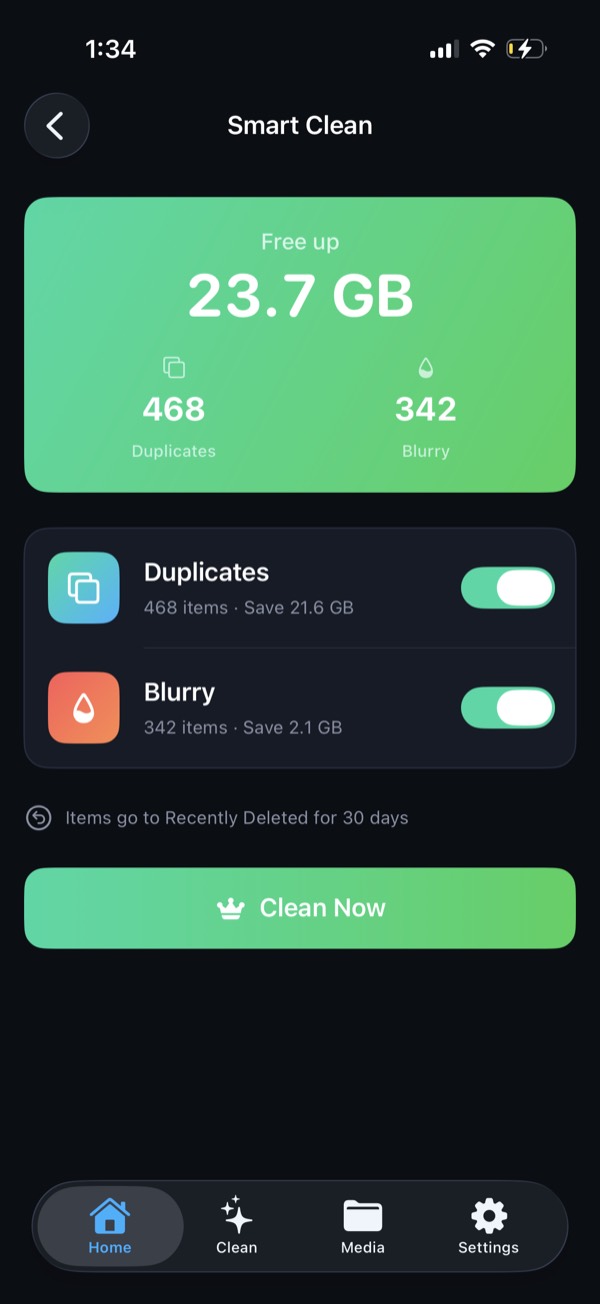
- Built for photos. Clean Kit finds blurry photos, converts Live Photos to stills in bulk while keeping their metadata, and finds WhatsApp media saved to your library. Smart Clean shows how much space you’ll free before you delete anything.
- Small and offline. Clean Kit is an 8.3 MB download, makes no network requests and needs no account.
The bottom line
For most people, photos and videos are what fills the iPhone. If that’s your problem and you care about privacy, Clean Kit does the job without tracking. If you also want contacts and email cleanup in the same app, Cleanup is the broader tool.
Try Clean Kit free
Scan your library on your device and see exactly how much space you can get back before you delete anything. No account, no tracking, and your photos never leave your iPhone.
Download on the App StoreFree to download for iPhone and iPad. Everything runs on your device, and your photos are never uploaded.
Frequently asked questions
Is Clean Kit a good alternative to Cleanup?
If you mainly need to clear photos and videos, yes. Clean Kit finds duplicates, similar and blurry photos, old screenshots and large videos, and its privacy label is Data Not Collected. If you also want to merge contacts or clean your email inbox, Cleanup covers that and Clean Kit doesn't.
Does Cleanup track you?
Cleanup's App Store privacy label, which is provided by the developer, lists purchases, identifiers and usage data under "Data Used to Track You". Clean Kit's label is Data Not Collected.
Which app is cheaper?
Both are free to download with optional subscriptions. Cleanup lists weekly plans from $5.95 to $11.99 in the US. Check the current price on each App Store page, since offers change.