
iPhone storage still full after deleting photos? Here's why
Deleted photos aren't gone yet: they sit in Recently Deleted for up to 30 days and keep using space. Open Photos → Utilities → Recently Deleted → Select → Delete All, then give Settings → General → iPhone Storage a few minutes to update. If it's still full, the space is probably in Messages, other apps, or System Data rather than your photo library.
1. Empty Recently Deleted
This is the reason nine times out of ten. When you delete a photo, iOS moves it to Recently Deleted, where it stays for up to 30 days. It still uses the same space as before.
- Open Photos and scroll down to Utilities → Recently Deleted.
- Unlock it with Face ID or your passcode.
- Tap Select → Delete All, and confirm.
2. Give the storage screen time to update
Settings → General → iPhone Storage doesn’t recalculate instantly. Wait a few minutes, close Settings, and open it again. A restart also forces it to refresh.
3. Check what’s actually full
Look at the colored bar at the top of iPhone Storage. If Photos is small but the bar is still full, deleting more photos won’t help. The space is elsewhere:
- Messages: photos and videos people sent you are stored in Messages, not in your library. Use Review Large Attachments in iPhone Storage → Messages.
- Apps: chat apps and streaming apps keep their own copies of media. See how to delete WhatsApp media.
- System Data: caches and temporary files. See iPhone System Data too large.
4. Understand Optimize iPhone Storage
With iCloud Photos and Optimize iPhone Storage on, your iPhone keeps smaller versions and downloads originals when you open them. Recently viewed originals can stay on the device for a while. iOS removes them when it needs space, but not always as fast as you’d like.
If you have iCloud Photos on but Download and Keep Originals selected, every full-size photo and video is stored on your iPhone. Switching to Optimize can free a lot of space, as long as your iCloud plan has room.
5. Look at videos, not just photos
Deleting hundreds of photos might free a gigabyte. Deleting or compressing a few long 4K videos can free much more. Check Media Types → Videos first.
6. Don’t forget the hidden extras
- Live Photos hide a short video in every shot. Converting them to stills frees that space.
- Duplicates in Utilities → Duplicates are easy wins. See how to delete duplicate photos.
7. Restart your iPhone
A restart clears temporary files and often shrinks System Data. Turn the iPhone off, wait 30 seconds, and turn it back on.
See where the space really is
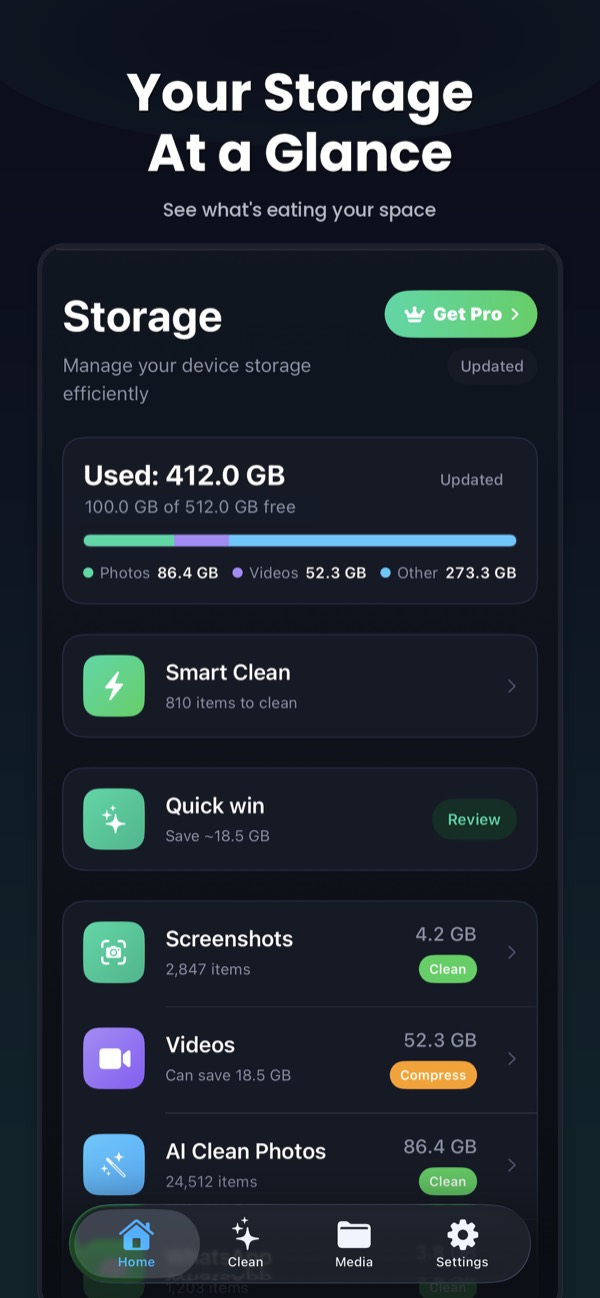
Clean Kit's storage dashboard shows how much space photos, videos, screenshots and Live Photos use, and Smart Clean tells you exactly how much you'll free before you delete anything. No more guessing whether deleting photos will help.
Download on the App StoreFree to download for iPhone and iPad. Everything runs on your device, and your photos are never uploaded.
Frequently asked questions
How long does it take for storage to update after deleting photos?
The space is only freed once photos leave Recently Deleted. After that, Settings → General → iPhone Storage can take a few minutes to recalculate. Restarting your iPhone can help it refresh.
Why does Photos still use lots of space with Optimize iPhone Storage on?
Optimize keeps smaller versions on your iPhone, but iOS still downloads full-size originals when you view or edit them and keeps some cached. It frees more space automatically when storage runs low.
I deleted photos on my iPhone. Why is iCloud still full?
Photos in Recently Deleted still count against iCloud storage until they're removed. If iCloud Photos is off, your iPhone and iCloud are separate, so deleting on the iPhone doesn't affect iCloud at all.