How to delete all screenshots on iPhone at once
Open Photos → Media Types → Screenshots. Tap Select, then drag your finger across the thumbnails to select many at once. Tap the trash icon to delete them. Then open Utilities → Recently Deleted → Select → Delete All to actually free up the space.
Step by step: bulk-delete screenshots
- Open the Photos app.
- Scroll down to Media Types and tap Screenshots. (On iOS 17 and earlier, it's in the Albums tab under Media Types.) This album only shows screenshots, never your regular photos.
- Tap Select in the top-right corner.
- Place your finger on the first screenshot you want to delete. Drag sideways, then down, and keep holding. The view scrolls and selects everything you pass over. Hundreds of screenshots can be selected in seconds.
- Tap the trash icon and confirm Delete Screenshots.
- Go to Utilities → Recently Deleted, unlock it, tap Select → Delete All. Until you do this, the screenshots keep using storage for up to 30 days.
Don't forget screen recordings
Screen recordings are videos, so they're far larger than screenshots. A few minutes of recording can use hundreds of megabytes. They have their own album: Photos → Media Types → Screen Recordings. Delete them the same way.
How to keep screenshots from piling up again
- Copy and delete: After taking a screenshot, tap the thumbnail in the corner, then tap Done → Copy and Delete. The image goes to your clipboard and never lands in your library.
- Save to Files instead: In the same Done menu, choose Save to Files for screenshots you want to keep, like receipts or tickets, outside your photo library.
- Make it a monthly habit: Screenshots are rarely useful after a few weeks. A quick monthly cleanup of anything older than 30 days keeps the pile manageable.
Are screenshots really taking up much space?
One screenshot is small, usually a few hundred kilobytes to a couple of megabytes depending on your screen. But many people have thousands of them. Three thousand screenshots can easily add up to several gigabytes, which is more than a lot of apps.
Clear screenshots by age, in bulk
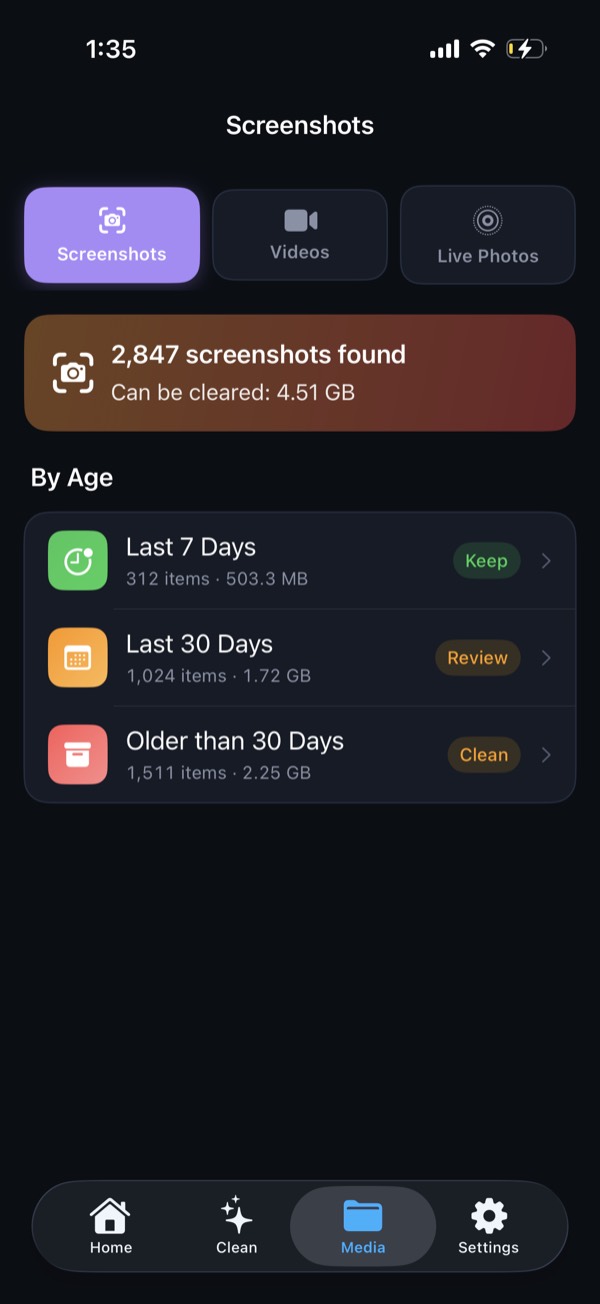
Clean Kit groups your screenshots by age: last 7 days, last 30 days, and older. You can wipe everything older than a month in one go and keep the recent ones you might still need. No more dragging across thousands of thumbnails.
Download on the App StoreFree to download for iPhone and iPad. Everything runs on your device, and your photos are never uploaded.
Frequently asked questions
Is there a "Select All" for screenshots on iPhone?
The Photos app doesn't have a Select All button in the Screenshots album. The fastest built-in method is to tap Select and drag your finger across and down the grid. Apps like Clean Kit let you select whole groups, such as everything older than 30 days, in one tap.
Will deleting screenshots delete them from iCloud?
Yes, if iCloud Photos is on. Your library syncs across devices, so screenshots you delete on your iPhone are also removed from iCloud and your other Apple devices.
Why didn't my storage go up after deleting screenshots?
Deleted items stay in Recently Deleted for up to 30 days. Empty that album to free the space immediately. The Storage screen in Settings may also take a few minutes to refresh.