
Clean Kit vs Slidebox
Slidebox and Clean Kit solve different problems. Slidebox is a swipe-based organizer: you go through photos one at a time, delete or sort them into albums, and compare similar shots. Clean Kit finds the clutter for you, with duplicates, blurry photos, old screenshots and large videos, and shows how much space you'll free. Many people use a swipe app for curating and a cleaner for storage.
We make Clean Kit, so we're not neutral. Every fact about Slidebox below comes from its US App Store listing or official website, linked under Sources. How we compare apps.
At a glance
| Clean Kit | Slidebox | |
|---|---|---|
| Approach | Scans and finds clutter automatically, then you review | You swipe through photos one by one |
| Price | Free download; optional Pro (weekly, monthly or yearly) | Free download; weekly, yearly and lifetime options listed from $1.99 to $49.99 |
| App Store rating | New app, not enough ratings yet | 4.8 from 17K ratings |
| Privacy label | Data Not Collected | No tracking; data not linked to you: usage data, diagnostics, photos or videos |
| Duplicate & similar photos | Found and grouped automatically | Compare similar photos while swiping |
| Blurry photos | Yes | Not listed in the description |
| Sort into albums | No | Yes |
| Video compression | Yes | Not listed in the description |
| Download size | 8.3 MB | 47.5 MB |
Prices, ratings and privacy labels as shown on the US App Store in October 2026. Privacy labels are reported by each developer and not verified by Apple. Check the listing before deciding, as they change.
Different jobs
Slidebox is about curating. You swipe up to delete, tap to file a photo into an album, and mark favorites, with an undo for every action. It’s satisfying for going through a camera roll month by month.
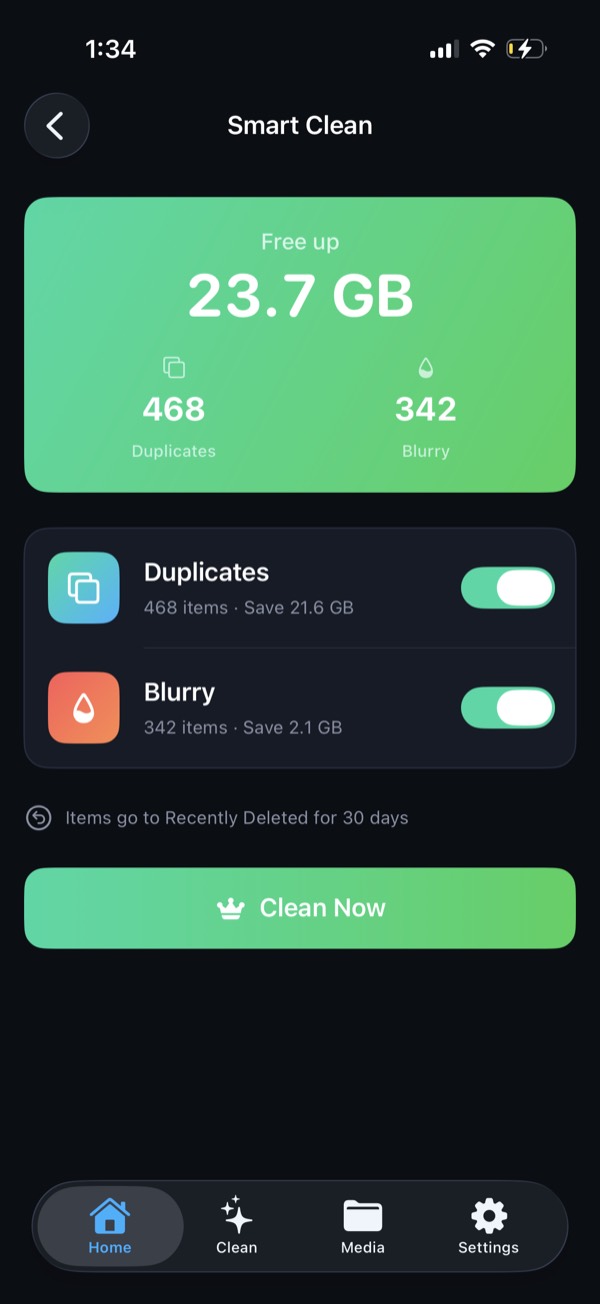
Clean Kit is about storage. It scans your library and finds what’s taking space: duplicate and similar groups, blurry shots, old screenshots, large videos and Live Photos. You review the suggestions and clean them in bulk.
Which should you choose?
- Your iPhone says storage is full: Clean Kit. It shows the gigabytes you’ll free before you delete.
- You want a tidy, organized library: Slidebox.
- You want privacy you can check: Clean Kit’s privacy label is Data Not Collected. Slidebox doesn’t track you, but its label lists usage data for third-party advertising and photos or videos for app functionality, both not linked to you.
Try Clean Kit free
Scan your library on your device and see exactly how much space you can get back before you delete anything. No account, no tracking, and your photos never leave your iPhone.
Download on the App StoreFree to download for iPhone and iPad. Everything runs on your device, and your photos are never uploaded.
Frequently asked questions
Is Slidebox or Clean Kit faster for freeing space?
For freeing space, Clean Kit is faster because it finds duplicates, blurry photos, screenshots and large videos for you and totals the savings. Slidebox is better for curating a library and sorting photos into albums.
Can I use both?
Yes. They don't conflict, because both work through Apple's Photos library. Deleted items from either app go to Recently Deleted.